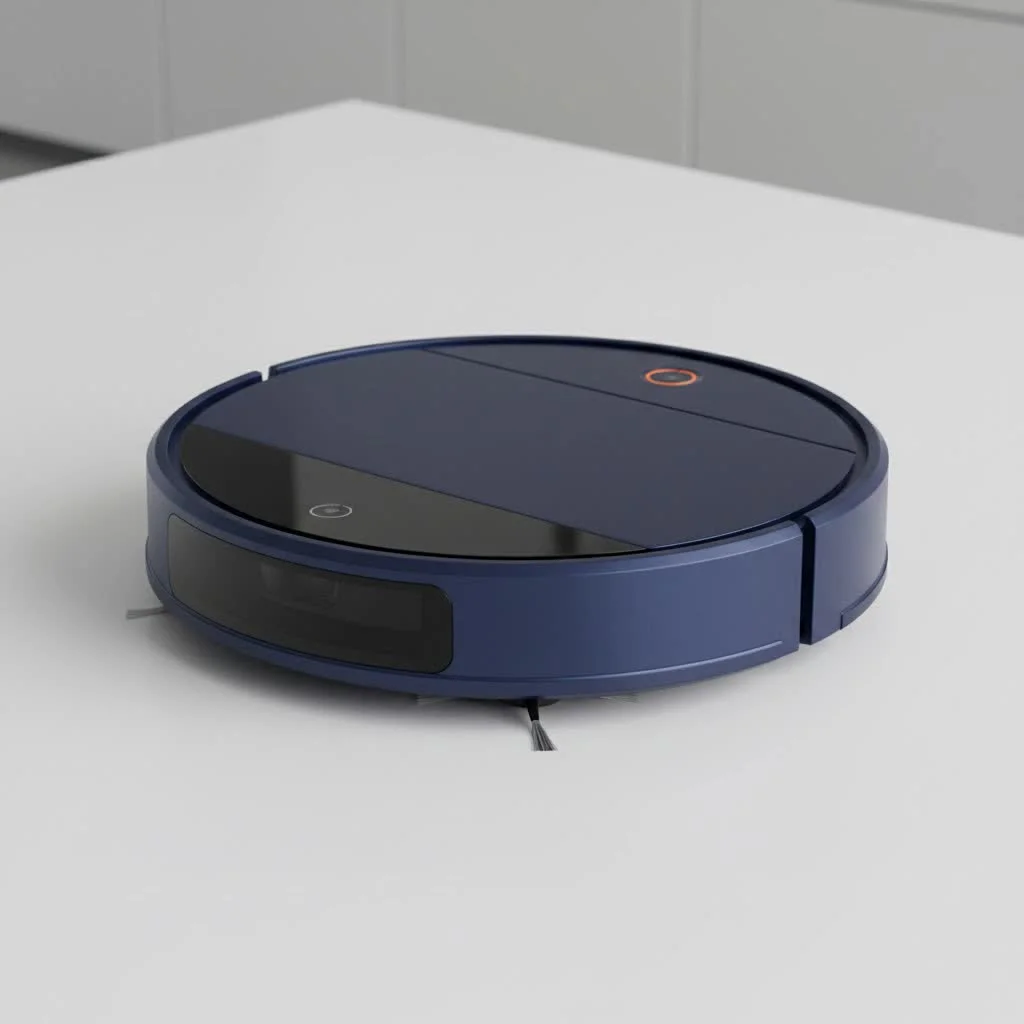
The Wyze Robot Vacuum offers an accessible and efficient automated home cleaning solution, featuring advanced LiDAR technology for precise navigation and mapping. This smart device provides 2100Pa of suction power, a 110-minute battery life, and comprehensive control via the Wyze app, making it a strong contender for homeowners seeking premium features without a high price tag.
The Brains Behind the Clean: Understanding LiDAR Technology
At the heart of the Wyze Robot Vacuum’s impressive performance is its advanced LiDAR (Light Detection and Ranging) technology. Unlike older robot vacuums that bump their way around your home, the Wyze uses an invisible spinning laser to accurately scan and map your entire floor plan in real-time. This sophisticated sensor allows it to navigate with remarkable precision, avoiding furniture and charting the most efficient cleaning path possible.
Imagine being able to tell your vacuum exactly where to clean and, more importantly, where not to go. With the Wyze app, the LiDAR-generated map becomes your command center. You can easily set up virtual walls to block off areas with delicate items or pet bowls, and define specific zones for targeted cleaning. Need a quick sweep under the dining table after dinner? Just tap a few buttons on your phone, and your Wyze Robot Vacuum is on its way, intelligently tackling only that area.
Key Features That Make a Difference
The Wyze Robot Vacuum packs a punch with features that genuinely enhance your cleaning experience:
Powerful Suction for Diverse Surfaces
Boasting 2100Pa of suction power, the Wyze Robot Vacuum is well-equipped to handle everyday dirt, dust, and debris. It performs particularly well on hard floors like hardwood, tile, and vinyl, effortlessly picking up crumbs and fine particles. While it does a decent job on carpets, especially high-pile ones for medium to large debris, it also offers adjustable suction levels, allowing you to customize its power to match different floor types and cleaning needs.
Intuitive Wyze App Control
The companion Wyze app is where the magic truly happens. It’s user-friendly and feature-rich, enabling you to:
- View and edit your home’s map.
- Set cleaning schedules for individual rooms or your entire home.
- Create virtual boundaries and no-go zones.
- Monitor cleaning progress in real-time.
- Check battery life and maintenance alerts.
Multi-Surface Adaptability
Your home likely has a mix of flooring, and the Wyze Robot Vacuum is designed to handle it all. It transitions smoothly from hard floors to carpets and can even cross small thresholds up to 0.8 inches (20mm), ensuring a continuous clean throughout your space.
HEPA Filtration for a Healthier Home
|
Our Picks for the Best Robot Vacuum in 2026
As an Amazon Associate I earn from qualifying purchases.
|
||
| Num | Product | Action |
|---|---|---|
| 1 | Tikom Robot Vacuum and Mop, 6000Pa Robotic Vacuum Cleaner with Self-Emptying Base, 90 Days Capacity, LiDAR Navigation, Home Mapping, Ideal for Pet Hair, Hard Floors, Carpet (L8000 Plus) |

|
| 2 | roborock Q10 S5+ Robot Vacuum and Mop, 10,000Pa Suction, Upgraded from Q8 max+, 70 Days Self-Emptying, Obstacle Avoidance, Sonic Mopping, Dual Anti-Tangle Design, Auto Mop Lifting, Ideal for Pet Hair |
|
| 3 | Tikom Robot Vacuum and Mop Combo, 5000Pa Robotic Vacuum Cleaner, 150 Min Max, App & Remote Control, Ideal for Hard Floor, Carpet, Pet Hair, Self-Charge(G8000 Max) |
|
| 4 | Robot Vacuum and Mop Combo, 2 in 1 Mopping Robotic Vacuum Cleaner with Schedule, Wi-Fi/App/Remote, Strong Suction, Self-Charging, Slim, Ideal for Hard Floor, Pet Hair, Low-Pile Carpet |
|
| 5 | ILIFE V5s Plus Robot Vacuum and Mop Combo with Wi-Fi/App/Alexa, Automatic Self-Charging Robotic Vacuum Cleaner, Slim and Quiet, Cleans Hard Floors Carpets and Pet Hair (V5s Pro Upgrade Version) |
|
| 6 | ILIFE A30 Pro Robot Vacuum and Mop, Self Emptying Station for 60 Days, 5000Pa Suction, LiDAR Navigation, No-Go Zones, 2.4G WiFi/App/Alexa/Remote Control, Roller Brush for Carpet, Hard Floors, 110V |
|
| 7 | Robot Vacuum and Mop Combo, 11500Pa Suction, 3-in-1 Robotic Vacuum with Smart LiDAR Navigation, 70 Day Self-Emptying,160 Min Runtime,App/Alexa/Voice Control, Ideal for Pet Hair, Carpet & Hard Floor |
|
| 8 | ILIFE V2 Robot Vacuum Cleaner, Tangle-Free Suction, 120 Mins Runtime, Slim, Self-Charging Robotic Vacuum Cleaner, Ideal for Pet Hair and Hard Floors |
|
| 9 | Bagotte Robot Vacuum and Mop, Robot Vacuum Self Emptying, 5000Pa Powerful Suction, 90-Day Hands-Free, Advanced Smart Mapping, LiDAR Navigation Robotic Vacuum for Pet Hair, Dust, Carpet, WiFi/App/Alexa |
|
| 10 | Robot Vacuum and Mop, 3-in-1 Robotic Vacuum Cleaner with 70-Day Self-Emptying Base, 360° LiDAR Navigation, Smart Mapping & Auto-Return, 6000Pa Strong Suction for Pet Hair, Carpets & Hard Floors |
|
For those concerned about indoor air quality, the Wyze Robot Vacuum includes a HEPA exhaust filter. This crucial component helps trap fine allergens and dust particles, preventing them from recirculating into the air, which is a big win for allergy sufferers.
Reliable Battery Life and Auto-Recharge
With a battery life of up to 110 minutes on a single charge, the Wyze Robot Vacuum can cover significant ground. Should it run low on power before finishing a larger cleaning job, it intelligently returns to its charging station, recharges, and then resumes cleaning exactly where it left off.
Benefits of Owning a Wyze Robot Vacuum
Bringing a Wyze Robot Vacuum into your home translates to several practical advantages:
- Unmatched Convenience: Hands-free cleaning means more free time for you. Set a schedule, and let it do the work while you’re at work, running errands, or simply relaxing.
- Efficient Cleaning Routes: Thanks to LiDAR, it doesn’t just wander randomly. It cleans systematically in straight lines, ensuring thorough coverage and reducing cleaning time.
- Exceptional Value: The Wyze Robot Vacuum delivers advanced features like LiDAR mapping and precise app control at a price point that often undercuts many competitors offering similar technology. It’s a fantastic entry point into smart home cleaning without breaking the bank.
Understanding the Limitations: What to Consider
While the Wyze Robot Vacuum offers a lot to love, it’s also important to have a clear picture of what it doesn’t do as well as some higher-end models:
- No Self-Emptying Dock: This is perhaps its most notable absence. You’ll need to manually empty the dustbin, which is a minor chore compared to the self-emptying convenience offered by some newer, pricier robot vacuums.
- Carpet Performance for Fine Debris: While it handles larger debris and pet hair reasonably well on carpets, it may struggle with ultra-fine particles like sugar or deeply embedded pet hair, especially in corners and along edges. For a truly pristine carpet, you might still need to break out your upright vacuum occasionally.
- Basic Obstacle Avoidance: The Wyze Robot Vacuum relies primarily on its LiDAR and infrared sensors for navigation. It doesn’t have advanced real-time obstacle avoidance technology found in some premium models, meaning it might bump into smaller items or get tangled in stray cords. A quick pre-clean declutter is recommended.
- No Mopping Functionality: Despite the physical design appearing similar to some hybrid models, the Wyze Robot Vacuum is a dedicated dry vacuum. It won’t mop your floors or handle liquid spills.
Keeping Your Wyze Robot Vacuum Running Smoothly: Maintenance & Troubleshooting Tips
To ensure your Wyze Robot Vacuum keeps your floors spotless, a little regular care goes a long way.
Regular Dustbin and Filter Cleaning
The dustbin should be emptied regularly, ideally after each significant cleaning cycle, to maintain optimal suction. The HEPA filter also needs periodic cleaning to prevent clogs and maintain air quality. Most manufacturers recommend tapping it clean or gently brushing off debris, and replacing it every few months depending on usage.
Cleaning Charging Electrodes
If your Wyze Robot Vacuum isn’t charging, a common culprit is dirty charging electrodes on both the vacuum and the charging station. Use a dry cloth or brush to gently wipe away any dust or debris that might be obstructing the connection.
Wi-Fi Connectivity Tips
Connectivity issues can be frustrating. Here are a few troubleshooting steps:
- 2.4GHz Network: Ensure your robot vacuum is connecting to a 2.4GHz Wi-Fi network, as it’s not compatible with 5GHz networks.
- Password Characters: Some users have reported issues with special characters in their Wi-Fi passwords. Try simplifying your password to only letters and numbers if you’re having persistent connection problems.
- Location and Permissions: Make sure the Wyze app has necessary location and local network permissions enabled on your phone. Keeping the charging station relatively close to your router for initial setup can also help.
- Reboot: Sometimes, a simple reboot of your router and the vacuum itself (powering off, waiting 30 seconds, then restarting) can resolve connectivity glitches.
Resetting the Vacuum
For more stubborn issues, a factory reset might be in order. To perform a factory reset, press and hold the home button for 5 seconds until you hear a voice prompt, then release and hold it again for another 5 seconds. This will restore the vacuum to its default settings, allowing you to set it up anew.
The Future of Smart Cleaning with Wyze
Wyze has built a reputation for bringing smart home technology to a broader audience through affordability and user-friendliness. The Wyze Robot Vacuum fits perfectly into this ecosystem, offering a strong foundation for automated cleaning. As smart home technology continues to evolve, we can anticipate Wyze integrating even more sophisticated features into future models, potentially including enhanced obstacle avoidance or deeper integration with other Wyze devices to create an even more seamless smart home experience. Their commitment to accessible innovation suggests an exciting road ahead for this brand in the robot vacuum market.
“The Wyze Robot Vacuum really democratized LiDAR navigation. Before it came along, you typically had to shell out a lot more for that level of smart mapping. It’s a major upgrade for budget-conscious homeowners who still want precise, efficient cleaning.”
— Elena Petrova, Home Tech Analyst
Frequently Asked Questions
Is the Wyze Robot Vacuum good for pet hair?
The Wyze Robot Vacuum has decent suction (2100Pa) and can pick up pet hair effectively on hard floors. On carpets, it performs adequately for surface hair, but may struggle with heavily embedded pet hair or very fine particles along edges and in corners compared to robot vacuums specifically designed with advanced pet hair features.
Can the Wyze Robot Vacuum mop?
No, the Wyze Robot Vacuum is a dedicated dry vacuum and does not have a mopping function. It’s designed solely for vacuuming dirt, dust, and debris.
How long does the Wyze Robot Vacuum battery last?
The Wyze Robot Vacuum can run for up to 110 minutes on a single charge. If it needs more power to complete a cleaning cycle, it will automatically return to its charging station, recharge, and then resume cleaning where it left off.
What kind of Wi-Fi does the Wyze Robot Vacuum need?
The Wyze Robot Vacuum requires a 2.4GHz Wi-Fi network connection to operate and utilize its smart features through the Wyze app. It is not compatible with 5GHz networks.
How do I reset my Wyze Robot Vacuum?
To factory reset your Wyze Robot Vacuum, press and hold the home button for 5 seconds until you hear a voice prompt. Release the button, then press and hold it again for another 5 seconds until you hear a confirmation that the factory reset was successful. You can also perform a soft power cycle by disconnecting it from the charger, holding the power button to turn it off, waiting 30 seconds, and then reconnecting it.
Does it have a self-emptying bin?
No, the Wyze Robot Vacuum does not come with a self-emptying docking station. You will need to manually empty its dustbin after cleaning sessions.
The Wyze Robot Vacuum offers an impressive blend of intelligent navigation, powerful cleaning, and smart app features, all wrapped up in an affordable package. It stands out as an excellent choice for anyone looking to embrace automated home cleaning without overspending. By understanding its capabilities and its few limitations, you can make an informed decision and enjoy cleaner floors with minimal effort. Give it a try and experience the ease and efficiency a smart robot vacuum can bring to your home!
Frequently Asked Questions
Is the Wyze Robot Vacuum good for pet hair removal?
The Wyze Robot Vacuum offers 2100Pa of suction power, making it effective for picking up pet hair on hard floors. While it handles surface pet hair on carpets adequately, it may struggle with deeply embedded pet hair or very fine particles in corners compared to specialized pet hair robot vacuums.
Does the Wyze Robot Vacuum include a mopping function?
No, the Wyze Robot Vacuum is designed exclusively as a dry vacuum and does not feature a mopping function. It is intended solely for vacuuming dirt, dust, and debris from various floor types.
What is the typical battery life of the Wyze Robot Vacuum?
The Wyze Robot Vacuum provides up to 110 minutes of cleaning time on a single charge. If its battery runs low during a cleaning cycle, it will automatically return to its charging station, recharge, and then resume cleaning from where it left off.
What type of Wi-Fi network is required for the Wyze Robot Vacuum?
The Wyze Robot Vacuum requires a 2.4GHz Wi-Fi network connection to function and utilize its smart features via the Wyze app. It is not compatible with 5GHz Wi-Fi networks.
How can I perform a factory reset on my Wyze Robot Vacuum?
To factory reset your Wyze Robot Vacuum, press and hold the home button for 5 seconds until you hear a voice prompt. Release the button, then press and hold it again for another 5 seconds until a confirmation of the factory reset is announced. A soft power cycle can also be done by turning it off, waiting 30 seconds, and restarting.
Does the Wyze Robot Vacuum come with a self-emptying dustbin?
No, the Wyze Robot Vacuum does not include a self-emptying docking station. Users must manually empty the dustbin after cleaning sessions to maintain optimal performance.
Maintain Your Wyze Robot Vacuum for Optimal Performance
Regular maintenance ensures your Wyze Robot Vacuum continues to clean effectively and extends its lifespan.
Empty the dustbin after each significant cleaning cycle to maintain strong suction power. The HEPA filter should be cleaned periodically by tapping or brushing off debris, and replaced every few months depending on usage to prevent clogs and ensure good air quality.
If your vacuum isn't charging, check the charging electrodes on both the robot and its station. Use a dry cloth or brush to gently wipe away any dust or debris that might be obstructing the electrical connection, ensuring a reliable charge.
Ensure your vacuum connects to a 2.4GHz Wi-Fi network, as it's not 5GHz compatible. Simplify Wi-Fi passwords if special characters cause issues, and confirm the Wyze app has necessary location and network permissions. Rebooting your router and vacuum can often resolve minor glitches.
For persistent issues, a factory reset can restore default settings. Press and hold the home button for 5 seconds until a voice prompt, then release and hold again for another 5 seconds until confirmation. This allows for a fresh setup of the device.
Smart home that does not lock you in
Free PDF — protocol compatibility matrix for 30 hubs and devices.
I’ve been using the Wyze Robot Vacuum for a few weeks now and it’s been a game-changer. The LiDAR technology really does make a difference; it maps my house perfectly and doesn’t just randomly bump into things like my old one did. The suction power is impressive too, it picks up all the pet hair from my two cats without an issue. Definitely recommend it for anyone with pets!
I was excited about the Wyze app control, but I’ve had a few instances where it disconnected from my Wi-Fi, which was a bit frustrating. When it works, it’s great for setting schedules and no-go zones. The cleaning itself is decent, especially for the price point, but the connectivity issues keep it from being a 5-star product for me.
This vacuum is pretty solid for the price. The 2100Pa suction power is no joke, my floors feel much cleaner. My only minor gripe is that the battery life, while good at 110 minutes, sometimes isn’t quite enough to finish my entire downstairs in one go, so it has to recharge mid-clean. Still, it’s a great value for the features.